What Does MP3 Bitrate Mean for Instagram Audio Quality?
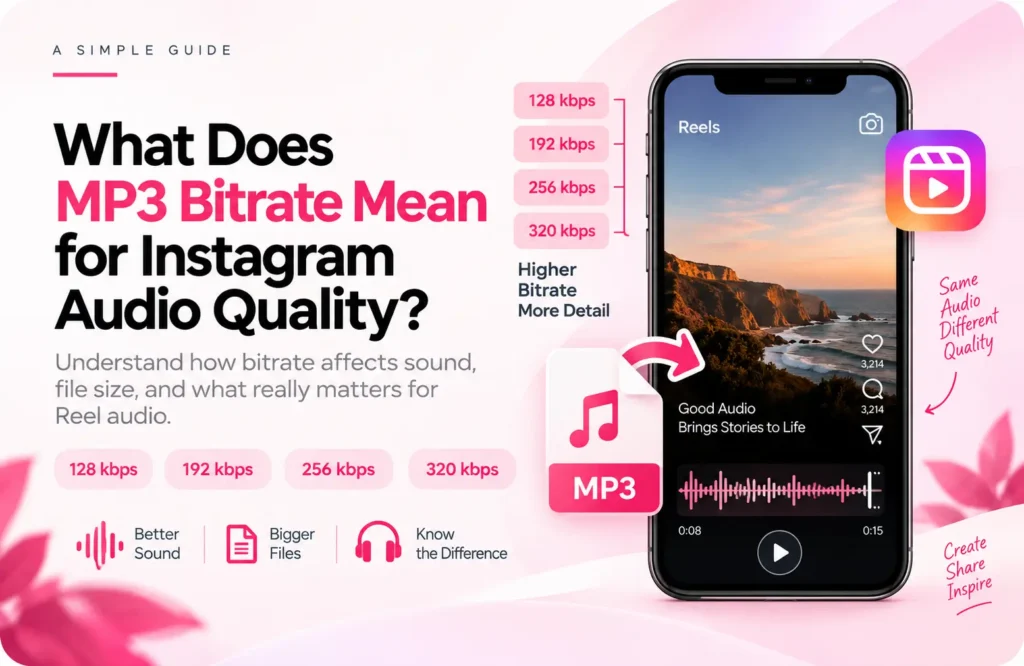
If you’ve seen audio files labeled 128 kbps, 192 kbps, 256 kbps, or 320 kbps, those numbers refer to bitrate, the amount of data used to encode each second of audio. This matters when you download Instagram audio song and want to understand how its quality may be affected. In general, a higher MP3 bitrate allows more audio information to be retained, but it also produces a larger file.
For Reel audio, however, bitrate isn’t the only thing that determines what you hear. The original recording, encoding method, previous compression, and later processing can all affect the final result. A 320 kbps MP3 made from a poor source won’t suddenly become high-quality simply because its bitrate is higher.
What Does MP3 Bitrate Mean?
MP3 bitrate is measured in kilobits per second, or kbps. It describes how much data is used to represent one second of encoded audio.
A 128 kbps file uses less data per second than a 320 kbps file. Because MP3 uses lossy compression, lower settings generally require the encoder to remove more information to reduce the file size.
The basic relationship is:
Lower bitrate → smaller file → stronger compression
Higher bitrate → larger file → less aggressive compression
The audible difference depends on the recording. Complex music with vocals, instruments, and high-frequency sounds can reveal compression more easily than a simple voice recording.
How Bitrate Affects Audio Quality
When an MP3 is created, the encoder reduces the amount of data needed to store the recording. At lower bitrates, more aggressive compression is generally required.
This can sometimes result in reduced detail, less natural high frequencies, or noticeable compression artifacts. Higher bitrates give the encoder more data to work with, which can help preserve more of the source during encoding.
But bitrate isn’t a complete quality rating.
Two files with the same bitrate can sound different if they were created from different sources or with different encoders. That’s why the number shown next to an MP3 should always be considered alongside the quality and history of the original audio.
128, 192, 256, and 320 kbps Compared
These are common MP3 bitrate settings:
| Bitrate | Compression level | Relative file size | Typical use |
| 128 kbps | Higher | Smaller | Basic audio and speech |
| 192 kbps | Moderate | Medium | General listening |
| 256 kbps | Lower | Larger | Higher-quality compressed audio |
| 320 kbps | Lowest among standard MP3 settings | Largest | Maximum standard MP3 bitrate |
The table is useful as a general comparison, but it shouldn’t be treated as a strict quality ranking for every recording.
A well-encoded 192 kbps file from a good source can sound better than a 320 kbps file that started with poor-quality or heavily compressed audio.
Does 320 kbps Always Sound Better?
No.
320 kbps is the highest standard MP3 bitrate, but MP3 remains a lossy format. The bitrate describes the new encoded file; it doesn’t tell you how good the source was before encoding.
For example, suppose a 128 kbps MP3 is converted into a 320 kbps MP3. The second file is larger and has a higher stated bitrate, but the conversion cannot restore details that were already removed from the original.
You’re essentially putting an already compressed source into a larger container of encoded data.
This is why raising the bitrate after compression isn’t the same as preserving quality from the beginning.
Source Quality Matters More Than the Number
Consider these two situations:
- A good-quality source encoded once at 192 kbps
- A heavily compressed 128 kbps file converted later to 320 kbps
The second file has the higher number, but it doesn’t contain the information lost during the original compression.
Once a lossy encoder removes information, a later conversion can’t reconstruct it. The new bitrate only describes how the new version has been encoded.
This matters when working with audio obtained from social platforms. The recording may already have been processed before it reaches your device, so unnecessary conversions can add another stage of compression.
If you’re starting with a downloaded recording, it’s better to preserve the available source rather than repeatedly convert it just to reach a particular bitrate.
What Happens During Repeated Audio Conversion?
Converting one lossy audio file into another lossy format can introduce another generation of compression.
A simplified example looks like this:
Original recording → compressed source → MP3 → another MP3
Each encoding stage works with the output of the previous stage. It doesn’t have access to information that was already discarded.
This is why converting a low-bitrate file to 320 kbps doesn’t restore its original detail. Likewise, repeatedly changing between formats can create a larger file without delivering better source quality.
When possible, avoid conversions that don’t serve a specific purpose.
If you haven’t downloaded the audio yet, you can follow our guide to download Reel audio on Android and iPhone and then work with the resulting file.
Which MP3 Bitrate Is Best for Reel Audio?
There isn’t one bitrate that’s ideal for every use case.
If MP3 is specifically required, 320 kbps provides the most data per second among standard MP3 settings. However, using 320 kbps doesn’t make a low-quality source better.
For social content, a more useful approach is to start with the best available source and avoid unnecessary re-encoding. File size, source quality, and the editing workflow all matter when deciding whether MP3 is appropriate.
If you’re only choosing between different MP3 versions of the same source, a higher bitrate can provide better preservation, but the benefit depends on how the original recording was encoded.
Why M4A Can Be Preferable to MP3
MP3 isn’t the only format used for downloaded audio. M4A is a container that can hold different types of encoded audio, including AAC.
If you already have a suitable M4A file and your editing workflow supports it, there may be no reason to convert it to MP3 first.
Avoiding an unnecessary conversion can help prevent another lossy encoding stage. It also means you don’t need to create a larger MP3 simply to reach 320 kbps.
This is why it is better to work with the file your downloader gives you, instead of converting it again just to change the format. It allows you to work with the available source without automatically adding an MP3 conversion step.
M4A does not automatically mean lossless or higher-quality audio. The actual result depends on the codec, bitrate, and source recording.
Once the file is ready, you can continue with our guide on using downloaded audio in a Reel to learn how to add and sync it with your video.
Common MP3 Bitrate Mistakes
One of the biggest mistakes is assuming that 320 kbps automatically means the best possible sound. It is the highest standard MP3 bitrate, but it can’t repair a damaged or heavily compressed source.
Another mistake is converting every audio file to 320 kbps without considering its original format. If the source has already been compressed, the conversion mainly increases the amount of encoded data rather than restoring lost detail.
It’s also easy to confuse file size with audio quality. A larger file isn’t necessarily a better recording.
Finally, don’t judge an audio file by bitrate alone. Source quality, codec, encoder, and compression history can all influence the final result.