Trending Audio on Instagram: How to Find, Save and Use Popular Sounds
Trending audio on Instagram can change from one day to the next. A sound that appears everywhere today may be much less active a week later, while a small audio clip can suddenly start appearing across hundreds or thousands of Reels.
The key is not simply finding a sound with a large number of uses. You need to know how to spot sounds that are gaining momentum, check whether they fit your content, save them before you forget, and understand whether you can actually use the audio for your type of account.
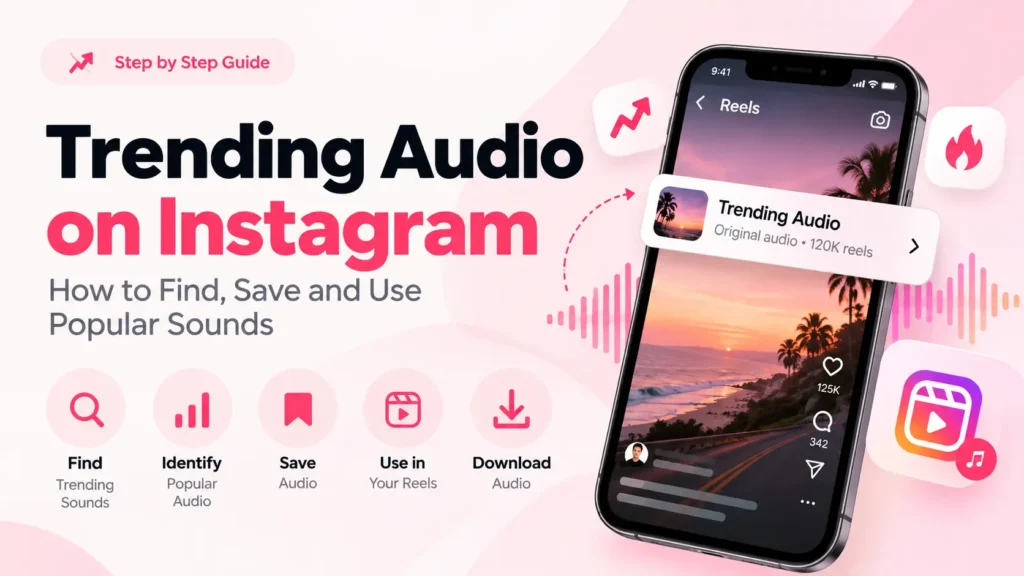
This article explains how to find trending audio on Instagram, identify sounds that are gaining attention, save and reuse them, download audio from public Reels, and understand why some popular sounds disappear.
What Is Trending Audio on Instagram?
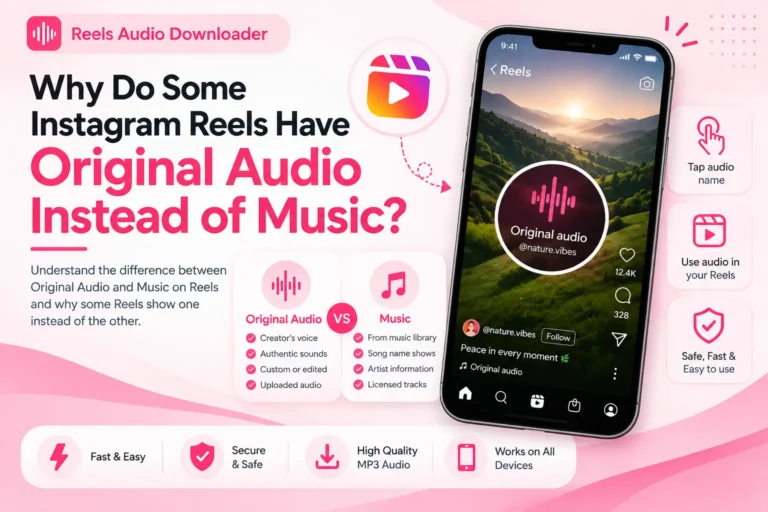
Trending audio refers to a song, music clip, dialogue, sound effect, remix, or original audio that is gaining attention and being used increasingly by creators in short-form videos and other social content.
A trending sound is not always the most-used sound. An audio clip with millions of uses may have already reached its peak, while a newer sound with fewer total uses may be growing rapidly.
This distinction is important because popular and trending are not always the same thing.
For example, imagine a sound that has been used in 20,000 videos but suddenly starts appearing in many new posts every day. It may have more momentum than an older sound with 500,000 uses whose activity has started to slow down.
Trending audio can include:
- Songs from a licensed music library
- Original audio created by users
- Short dialogue or spoken clips
- Sound effects
- Remixes and edited audio
- Audio connected to a specific video trend
Instagram’s available music and audio can vary by account, location, and licensing arrangements. Meta says its licensed music library is intended for personal, non-commercial use, while some business accounts and regions may have restricted access.
How to Find Trending Audio on Instagram
The most reliable place to find current Instagram audio trends is itself. Third-party lists can help you discover ideas, but trends move quickly, so a sound listed as trending in an article may already be past its peak when you see it.
Here are the most useful ways to find sounds directly.
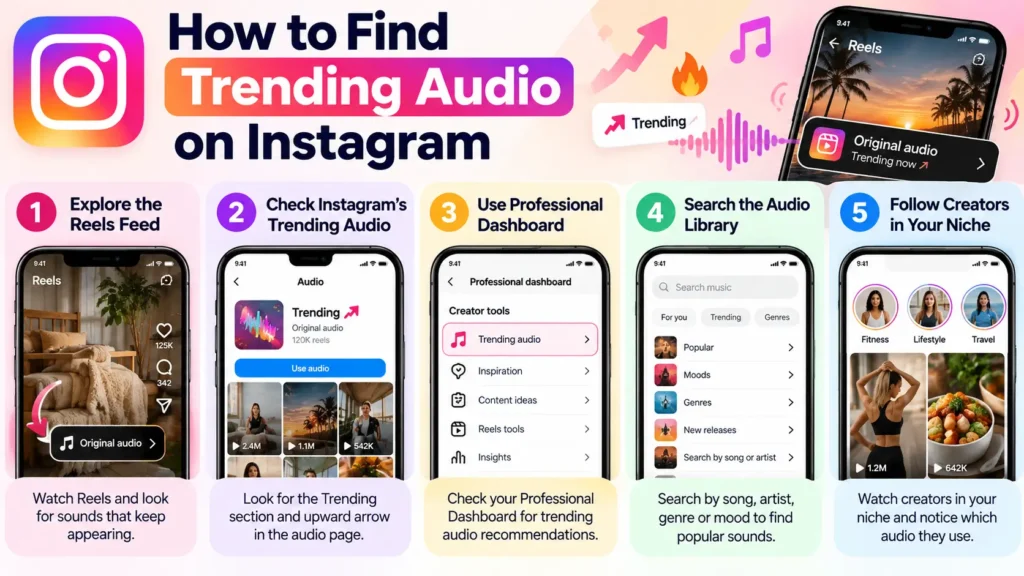
1. Explore the Instagram Reels Feed
Open Ig and start watching Reels related to your niche.
Instead of looking at only one video, pay attention to sounds that keep appearing across different creators.
If you hear the same audio several times while scrolling, tap the audio name attached to the Reel. This opens the sound’s page, where you can explore other Reels using it.
Look for three things:
- How recently people are using the sound
- Whether creators from different accounts are using it
- Whether new Reels continue appearing with the same audio
A sound repeatedly appearing in recent content is more interesting than one that only has a large historical usage count.
2. Check Instagram’s Trending Audio Features
Many social platforms now offer built-in audio discovery features that highlight sounds gaining attention. Depending on your account, location, app version, and the platform’s current rollout, you may see a dedicated Trending section when choosing audio for your content.
Current 2026 social media research also reports features such as in-app trending lists and upward-arrow indicators that identify sounds gaining popularity. However, interfaces can change frequently, so the exact menu name or location may not be the same for every user.
When you discover a sound through a platform’s built-in trending tools, open the audio and review recent videos using it before deciding whether it fits your content.
3. Check the Professional Dashboard
If you have a professional Instagram account, check the Professional Dashboard for available creator resources and audio recommendations.
Some trending-audio features have been rolled out selectively, so you may not see exactly the same options as another creator. Current third-party documentation notes that access to certain trending-audio recommendations can depend on account and market availability.
If the feature is available to you, use it as another discovery source rather than assuming every suggested sound will work for your particular audience.
4. Search Instagram’s Audio Library
You can also search Instagram’s music and audio library directly.
Search by:
- Song title
- Artist
- Audio name
- Genre
- Mood
- A sound you heard in another Reel
After finding a track, preview it and inspect how people are currently using it.
This is especially useful when you already know the type of sound you want instead of simply looking for whatever happens to be trending.
5. Watch Creators in Your Niche
One of the easiest ways to find useful trends is to follow creators who make content similar to yours.
For example, a fitness creator will usually get more value from monitoring fitness, wellness, and lifestyle creators than from following random viral accounts.
Pay attention to sounds that begin appearing among several relevant creators before they become extremely widespread.
A sound does not have to be universally popular to be useful for your audience.
How to Tell If an Instagram Reel Audio Is Trending
Finding a popular sound is easy. Determining whether it is still gaining momentum is harder.
Use several signals instead of relying on one number.
Look for Instagram’s Trending Indicator
A platform may display an upward-trend indicator next to certain audio tracks..
When available, this can be a useful signal that the sound is gaining attention.
But don’t treat the indicator as a guarantee that the sound will continue growing. Trends can change quickly.
Check the Recent Reels
Open the audio page and look at the latest Reels using the sound.
Ask:
- Are new Reels still being posted?
- Are different creators using it?
- Is the sound appearing in your niche?
- Do the newest posts look recent rather than several weeks old?
- Is the sound being used for multiple content formats?
Recent activity can tell you more about momentum than the total number of uses alone.
Compare Usage With Momentum
A sound with a huge number of uses is not automatically the best choice.
Consider two hypothetical sounds:
Sound A: 500,000 total uses but very little new activity.
Sound B: 15,000 total uses with rapidly increasing recent usage.
Sound B may be earlier in its trend cycle, while Sound A may already be saturated.
This is why a simple “use a sound with X number of Reels” rule is unreliable.
Emerging, Rising, Peak and Saturated Audio
It helps to think about trending audio as a lifecycle.
Emerging
The sound is beginning to appear more frequently, but total usage is still relatively low.
Rising
More creators are discovering the sound and recent usage is increasing.
Peak
The sound has widespread visibility and is being used across many types of content.
Saturated
The sound has been used so heavily that its growth may have slowed and the trend may be losing freshness.
Not every sound moves through these stages at exactly the same speed. Some disappear quickly, while others remain popular for months.
The goal is therefore not to find the sound with the largest number beside it. The goal is to understand where the sound is in its current trend cycle.
How to Save Trending Audio on Instagram
If you find a sound you want to use later, saving it inside Instagram is usually easier than trying to remember its name.
The general process is:
- Open the Reel using the audio.
- Tap the audio name.
- Open the audio page.
- Choose the available Save Audio option.
- Access the saved sound later when creating a Reel.
Instagram’s interface can change, so the wording or location of the save control may look slightly different depending on your app version.
Saved Audio vs Downloaded Audio
These are two different things.
Saved Audio stays connected to your account, making it easier to find and reuse the same sound later.
Downloaded audio is a separate audio file, such as an MP3, stored on your device.
Saving a sound does not download an MP3 to your phone.
Likewise, downloading an MP3 does not automatically add that file to Instagram’s saved-audio section.
How to Use Trending Audio in Your Own Reel
Once you’ve found a suitable sound, you can select it while creating your Reel.
A simple workflow is:
- Open Instagram.
- Start creating a Reel.
- Open the audio/music option.
- Select a saved or available sound.
- Choose the section of the audio you want.
- Record or upload your video.
- Adjust the audio and original-video volume.
- Preview the Reel before publishing.
Don’t choose a trending sound simply because it is popular.
The audio should make sense with the video.
A dramatic sound may work well for a transformation Reel but feel completely out of place in a tutorial. A soft, aesthetic sound may suit a home-decor Reel but not an energetic fitness clip.
Relevance matters.
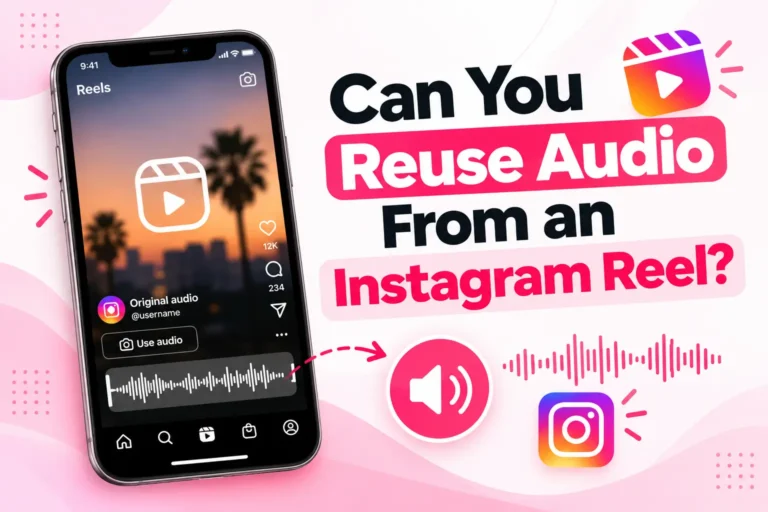
If you want to learn more about reusing audio from an existing Reel, see our detailed guide on how to reuse Instagram Reel audio.
How to Download Trending Audio From Instagram
Saving audio within a social media platform and downloading it as an MP3 file are two different processes.
If you want a separate audio file from a public short-form video, you can use our free Instagram audio downloader just paste the video URL and save the MP3.
The basic process is:
- Open the public video containing the audio.
- Copy the video link.
- Open a compatible audio downloader.
- Paste the video URL.
- Start the audio conversion.
- Download the resulting audio file if the service supports it.
The exact output quality can depend on the source Reel and the downloader being used.
Can You Download Any Trending IG Sound?
Not necessarily.
A Reel being publicly viewable does not mean that you automatically have permission to reproduce or commercially distribute its copyrighted music.
Meta explains that downloading content, giving credit, finding it online, or seeing other people use the same content does not by itself give you permission to post copyrighted material.
So downloading an audio file and having the right to reuse that audio are separate questions.
If you download audio for legitimate personal or permitted purposes, keep those rights and licensing restrictions in mind.
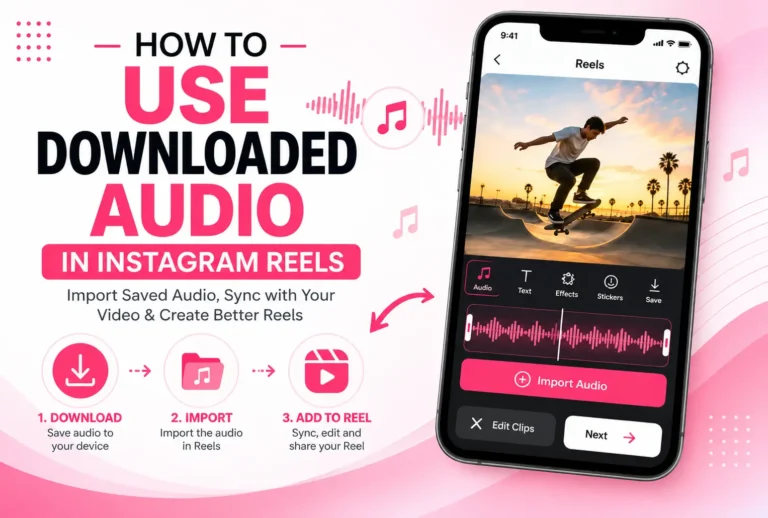
How to Use Downloaded Audio in Instagram Reels
An MP3 downloaded to your phone is not the same as Instagram’s built-in audio library.
If you want to use a downloaded audio file in a short-form video, the process can vary depending on your app version, device, and the usage rights associated with the audio.
Before using downloaded music in a Reel, make sure you have the necessary permission or license.
If you specifically want to understand the process of using downloaded audio in a Reel, see:
How to Use Downloaded Audio in Instagram Reels
Why Does Trending Audio on Instagram Disappear?
You may save a sound today and discover later that it is no longer available.
That can happen for several reasons.
Music Licensing Changes
Instagram’s music availability depends partly on agreements with rights holders. Meta says licensed music can have restrictions based on commercial use and geographic availability.
A song can therefore be available to one account or region while being unavailable to another.
The Original Creator Removed the Content
Original audio can be connected to the Reel or creator that introduced it. If that content is removed or otherwise becomes unavailable, the associated audio experience may change.
Regional Restrictions
Music licensing is not identical in every country.
A sound available in one region may not appear for users elsewhere. Meta specifically notes that licensed music may not be available in certain countries or regions.
Instagram Changes Audio Availability
Social platforms can also change how audio is displayed, accessed, or reused as their features and policies are updated.
This is another reason why saved audio should not be treated as a permanent offline copy.
Can You Still Use a Sound After It Stops Trending?
Yes, if the sound is still available to your account and you have the appropriate rights to use it.
Trending status and availability are different things.
A sound can stop trending but remain available in Instagram’s music library. Another sound can be trending for some users but unavailable to your account because of licensing, region, account type, or other restrictions.
In other words, “not trending” does not mean “removed.”
Can Business Accounts Use Trending Audio?
Business accounts can have different access to Instagram’s music library because of licensing.
Meta says some business accounts and certain types of posts do not have access to the licensed music library. Meta also provides Sound Collection, which includes royalty-free music and sounds that can be used commercially.
This is especially important for brands.
Just because a song appears in Instagram’s music library does not mean you should assume that it is cleared for every commercial use.
For branded or advertising content, check the applicable licensing and usage permissions before publishing.
Does Trending Audio Guarantee More Views?
No.
Trending audio can help your content participate in an active trend, but it does not guarantee views, engagement, or viral reach.
Your topic, video quality, audience interest, timing, retention, and overall content can still matter.
The better approach is to treat trending audio as one part of the creative decision rather than a shortcut to reach.
Should You Use Every Trending Sound?
No.
A sound can be trending and still be a poor choice for your Reel.
Before using one, ask:
Does it fit my content?
If the answer is no, another relevant sound—or your own original audio—may make more sense.
Also consider how saturated the trend has become. A sound that was exciting when it first appeared may feel repetitive after thousands of similar Reels.
Trending vs Popular vs Viral Audio
These terms are often used interchangeably, but they can describe different situations.
| Term | What it generally means |
| Popular | The audio already has widespread use or recognition. |
| Trending | The audio is currently attracting increased attention or usage. |
| Viral | The audio or associated content is spreading rapidly and receiving unusually high attention. |
| Saturated | The audio has been used so extensively that its growth or freshness may be declining. |
A popular sound is not necessarily a rising trend.
A trending sound is not necessarily viral.
And a viral sound can eventually become saturated.
Understanding that difference can help you make better audio choices.
Common Mistakes When Looking for Trending Audio
Choosing the Sound With the Most Uses
Total usage is only one signal.
A sound with a very large number of uses may already be past its fastest growth period.
Ignoring Recent Activity
Always look at recent Reels when possible.
You want to know whether creators are still actively using the sound.
Copying Trends From Another Platform
A sound trending on TikTok or YouTube Shorts is not automatically trending on Instagram.
Cross-platform trends can provide useful ideas, but always verify the sound directly on the platform before treating it as a current trend there.
Using an Audio That Does Not Fit Your Niche
A trend is only useful when it works with your content.
Your audience should not feel that the audio was added simply because it was popular.
Waiting Too Long
Some sounds have a very short trend window.
If a sound is clearly gaining momentum and fits your content, waiting weeks to use it may mean the trend has already moved on.
Assuming Instagram Availability Means Commercial Permission
This is especially important for businesses.
Music availability and commercial licensing are not always the same thing. Meta explicitly notes restrictions around licensed music and commercial use.
A Simple Way to Find Better Trending Audio
Instead of checking random lists every day, use this simple process:
Discover → Verify → Save → Match → Create
Discover: Find sounds through Reels, Instagram’s audio tools, creators in your niche, and other trend sources.
Verify: Check recent usage and whether the sound appears to be gaining momentum.
Save: Save promising sounds inside Instagram so you can find them later.
Match: Make sure the sound fits your topic, audience, and account type.
Create: Use the sound while it is still relevant rather than waiting until the trend is already saturated.
This approach is more reliable than chasing every sound labeled “viral.”
Frequently Asked Questions
Final Thoughts
Finding trending audio on Instagram is less about chasing the sound with the biggest usage number and more about recognizing what is gaining momentum right now.
Start with Instagram’s own Reels and audio features, check recent usage, look for trends relevant to your niche, and save promising sounds before you create your next Reel.
And remember that saving, downloading, and having permission to reuse audio are three different things. If you download audio from a public Reel, always consider the creator’s rights and any applicable music licensing restrictions before using it elsewhere.