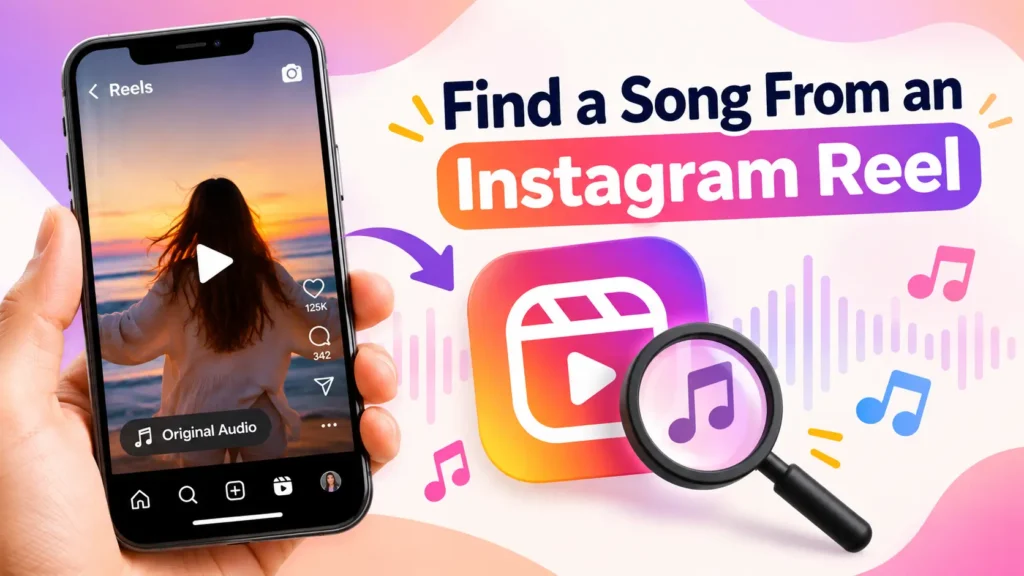
How to Find a Song From an Instagram Reel
Heard a song in a Reel but can’t remember its name? Finding the track is usually easier than it seems. Depending on how the audio was added, you can identify it from the video itself, use a music-recognition app, search the lyrics, or look through the comments.
When Instagram displays the song and artist, the answer is usually only a tap away. If you identify the track and later want to save the audio from a public Reel, an instagram audio downloader can also be useful. Things become less obvious when a Reel uses Original Audio, a remix, a sped-up version, or music underneath a voiceover.
1. Check the Audio Information on Instagram
Start with the simplest option before using another tool.
Open the Reel and look at the audio information near the bottom of the screen. If the creator selected a song from the built-in music library, you may see the track name and artist.
Tap the audio name to open its dedicated page. Other Reels using the same sound may appear there, which can provide additional clues.
If the title is displayed, you’ve found the song. If you only see Original Audio, continue with the methods below.
2. What Does Original Audio Mean on Instagram?
Original Audio does not always mean that the sound was created entirely by the person who posted the video.
It can contain:
- Background music
- A voiceover
- A remix
- Music edited in another application
- Sound effects
- An original recording
- Several sounds combined together
If you’re unsure how Instagram labels this type of sound, check the audio page first and compare other videos using the same recording.
You can also check our Original Audio guide for a more detailed explanation.
The comments are worth checking as well. If several people have asked about the song, someone may already have provided the answer.
3. Try Shazam
Shazam is one of the quickest ways to identify a recognizable track.
Play the clearest section of the Reel and let the app listen. If the recording is clear enough, it may identify the song title and artist within seconds.
For better results, choose a section without talking or sound effects.
If Shazam doesn’t recognize the song
Try another part of the video.
Recognition can become difficult when the audio is:
- Very quiet
- Covered by speech
- Only a few seconds long
- Sped up
- Slowed down
- Pitch-shifted
- Part of a mashup
A cleaner section of the same song can sometimes produce a completely different result.
4. Use Google’s Song Search
Google can be useful when a regular music-recognition search doesn’t work.
Play the song and use Google’s song-search feature to listen to it. You can also hum, whistle, or sing the melody if you no longer have the video available.
This is particularly helpful when you remember the tune but cannot make out the lyrics.
If the audio is heavily edited, try identifying a different section instead of the opening few seconds.
5. Search for the Lyrics
Lyrics are often enough to identify a song without using a recognition app.
Write down a short phrase that you can clearly hear and search for it together with lyrics.
For example:
“distinctive lyric phrase” lyrics
You don’t need an entire verse. A few unusual words can be enough to find the original recording.
If you’re unsure about one word, try searching without it or use a similar spelling.
This can work well when the recording is a remix or when music-recognition tools cannot identify the edited version.
6. Look at the Caption and Comments
Sometimes another viewer has already done the detective work for you.
Check:
- The caption
- Pinned comments
- Replies
- Questions about the song
- Answers from other viewers
Creators may also mention the track in another post or video.
If the music was added during editing rather than selected from the platform’s music library, the comments can be one of the easiest places to find its name.
If you’re using Instagram on a computer, you can also open the Reel in your browser and check the visible comments without switching between apps.
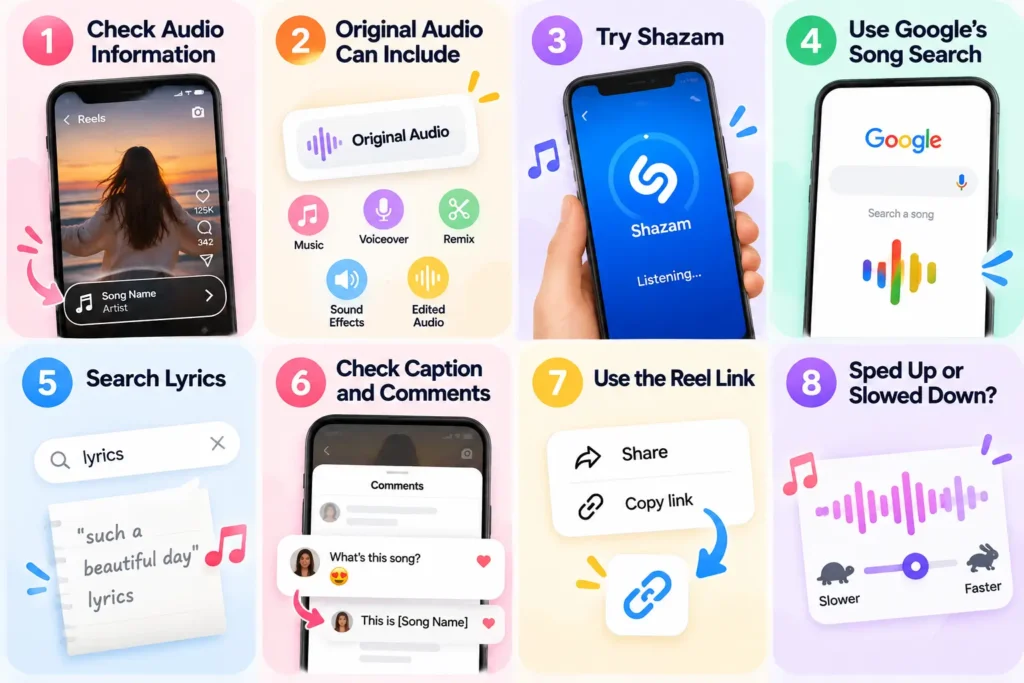
7. Identify the Song From the Reel Link
If you have the public video URL, you can also use it with a service that supports audio identification from Reel links.
To copy it, open the Reel and select:
Share → Copy link
This approach can be useful when:
- You’re working from a desktop computer.
- The phone speaker isn’t producing clear enough sound.
- Someone is talking over the music.
- You want to work directly from the video URL.
A link-based method can be particularly convenient when you’ve discovered the video through Instagram but don’t have a second device available for music recognition.
However, this method isn’t guaranteed.
It may fail when the video is private, deleted, restricted, unavailable, or heavily edited.
8. What If the Song Is Sped Up or Slowed Down?
Edited music is a common reason a track is difficult to identify.
You may be hearing:
- A sped-up version
- Slowed and reverb audio
- A remix
- A mashup
- A pitch-shifted version
- A short edit
- An instrumental version
A recognition tool may identify the original recording rather than the exact version used in the video.
Once you know the original title, search for it with terms such as sped up, slowed, remix, edit, or reverb.
9. What If Someone Is Talking Over the Music?
Voiceovers can make music recognition much harder.
Instead of playing the entire video, look for a moment when the speaker stops talking and the background music becomes clearer.
Then try Shazam or Google’s song search again.
If you can understand even a few lyrics, searching those words may work better than automated recognition.
You only need a short, clear section in many cases.
10. Why Can’t I Find the Song?
There isn’t always an identifiable commercial track behind a Reel.
It is genuinely original
The creator may have recorded the sound themselves, so there may be no official song title.
It is unreleased
A preview or unreleased track may not be included in music-recognition databases.
It has been heavily edited
Changes to speed, pitch, or arrangement can make the recording difficult to match.
The music is too quiet
Speech, effects, or background noise can leave recognition tools with very little clean audio.
The video is unavailable
A deleted or private Reel may prevent identification tools from accessing its sound.
It is a mashup
Several songs may be combined, making it difficult for a tool to identify the complete audio.
Which Method Should You Try First?
| What you’re dealing with | Try this first |
| Song title is displayed | Tap the audio name |
| Original Audio is shown | Check the audio page and comments |
| Clear music | Shazam |
| Shazam fails | Google Song Search |
| You know some lyrics | Search the lyrics |
| You only remember the melody | Hum or sing it |
| Someone is speaking | Find a clearer section |
| Sped-up or slowed version | Search the original title with the edit type |
| You have the public Reel URL | Try link-based identification |
| Nothing works | It may be original, unreleased, unavailable, or heavily edited |
What to Do After You Find the Song
Once you’ve identified the track, decide whether you simply want to save it for later or need an actual audio file.
If you’re looking for a reel save audio option, saving the sound within the app may be enough.
If you need an audio file from an eligible public video, an instagram audio downloader can help.
For more information about getting songs from public videos, see our guide to downloading songs from the app.
If you’ve found the track but the audio itself isn’t downloading, see our guide on when Reel audio won’t download.
Remember that identifying a song and having permission to reuse or redistribute it are different things. Finding the name of a track does not automatically give you permission to use the recording however you want.