Instagram Audio Downloader: Why Reel Audio Gets Removed After Posting
Did the sound disappear from a Reel after you posted it? You may be looking for an instagram audio downloader because you want to save the soundtrack before it becomes unavailable. However, downloading and recovering removed audio are two different things.
If you’re searching for instagram reels audio download, the first thing to check is whether the audio still plays on the original Reel. If it does, you may be able to save an eligible audio file. If the Reel now says “Audio unavailable,” the problem is usually related to music availability, licensing, regional restrictions, account settings, or the original sound itself.
Here’s what can cause Reel audio to disappear and what you can do before deleting your video.
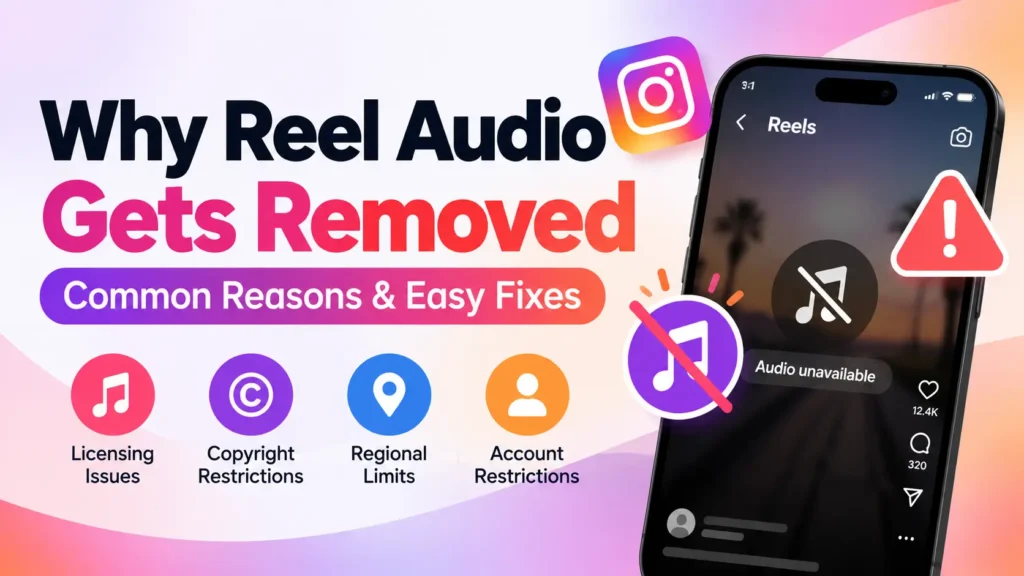
Why Was My Instagram Reel Audio Removed After Posting?
It can be frustrating when a Reel has music when you publish it and then loses the soundtrack later.
Several things can cause this to happen:
- Music licensing or rights may have changed
- The song may no longer be available in your region
- The audio may have been removed
- Your account may have limited access to certain music
- Original Audio may have become unavailable
- Copyright or licensing restrictions may affect the track
- A temporary technical problem may prevent the sound from playing
In many cases, the video itself is still available. The problem affects only the audio attached to it.
What Does “Audio Unavailable” Mean?
When a Reel shows “Audio unavailable,” the soundtrack attached to the video cannot currently be played normally.
You may still be able to:
- Watch the video
- Read the caption
- View comments
- Share the Reel
- Visit the creator’s profile
This doesn’t necessarily mean the entire Reel has been removed.
The important question is whether the problem affects one particular Reel or multiple videos. That can help determine whether you’re dealing with an audio-specific issue or a wider app or account problem.
Check Whether the Song Is Still Available
Start by checking the audio information connected to the Reel.
If the video originally used a song from the music library, open its audio information if it is still available. Look for the song title and artist and see whether the audio page still works.
You can also search for the same song separately.
If the track cannot be found or is no longer playable, the problem may be related to its availability rather than your device.
Why Can Music Disappear After a Reel Is Published?
Music availability isn’t necessarily permanent.
A song may be available when you create a Reel but become unavailable later because licensing arrangements or usage rights change.
This can affect older content even when you haven’t edited the Reel.
For example, you might publish a Reel on Monday and find several days later that its soundtrack has disappeared. The video may still be online, but the music can no longer be played.
That doesn’t necessarily mean you did anything wrong.
Can Your Account Type Affect Reel Audio?
Your account type can affect which music is available.
Some accounts may have different access to licensed music, particularly when content is being used for business or commercial purposes.
If you recently switched to a business account and noticed that certain songs disappeared from your available music options, check whether the same tracks are still accessible to your account.
This can also explain why one account can use a particular song while another account cannot.
Can Your Region Make a Song Unavailable?
Yes. Music availability can differ between locations.
A track may be licensed for one country but unavailable in another. As a result, two people viewing the same Reel may have different audio experiences.
You might see:
- The Reel playing without sound
- An “Audio unavailable” message
- A song page that doesn’t open
- Another person being able to hear the same track
If other music works normally but one particular song doesn’t, regional availability may be worth checking.
Instagram Reels Audio Download: Can You Still Save the Sound?
If you’re interested in instagram reels audio download, first determine whether the soundtrack is still accessible.
There are two different situations.
The audio still plays
If the music continues to play normally, you may be able to save an eligible audio file using an appropriate tool.
However, being able to access a file does not automatically give you permission to reuse copyrighted music in another video, advertisement, or commercial project.
Always consider the applicable rights before reusing saved audio.
The audio no longer plays
If the Reel says “Audio unavailable,” a download method generally cannot restore that missing soundtrack.
A tool can retrieve accessible audio. It cannot recreate or unlock audio that is no longer available.
So before searching for a download solution, check whether the original sound actually plays.
Can an Instagram Audio Downloader Recover Removed Audio?
An instagram audio downloader may be useful when an audio track is still publicly accessible and you have the right to save it.
But it cannot normally recover a track that has already become unavailable.
Think of it this way:
Audio available:
A suitable downloader may be able to retrieve the accessible audio.
Audio unavailable:
There may be no audio source available for the downloader to retrieve.
This distinction is particularly important if you are trying to save a soundtrack before it disappears.
If your issue is that an available Reel audio won’t download, see our guide on Instagram Reel audio not downloading.
What If the Reel Uses Original Audio?
Not every Reel uses a song from the standard music library.
A Reel can use Original Audio, which is audio associated with the creator’s own video.
If that sound becomes unavailable, the Reel may remain online while its audio stops playing.
The reason can vary depending on how the sound was created, used, or restricted.
For a detailed explanation of this type of audio, see our Original Audio guide.
Can Copyright Remove Audio From a Reel?
Copyright and music licensing can affect whether particular audio remains available.
This does not mean every Reel containing copyrighted music will automatically be muted. Music access depends on factors such as licensing agreements, location, account type, and how the audio is being used.
If only the soundtrack disappears while the video remains available, the audio may have been affected independently of the video.
Try These Basic Fixes First
Before assuming the audio has permanently disappeared, try some simple checks.
- Close and reopen the app.
- Check whether an update is available.
- Play another Reel using the same song.
- Test other Reels to see whether their audio works.
- Check the affected Reel on another device if possible.
- Confirm that your internet connection is working normally.
If every other Reel has sound but one specific video doesn’t, the problem is more likely connected to that Reel or its soundtrack.
If many Reels suddenly lose audio, investigate the app, account, or device instead.
Can You Replace the Removed Audio?
Depending on the Reel and the options currently available to your account, you may see an option to replace unavailable audio.
If a replacement option is provided, you may be able to select another available track while keeping the existing video.
Before deleting the Reel, check its available editing and audio options.
Replacing the soundtrack can be preferable to starting again if the original post already has useful views, comments, and shares.
Can You Get the Original Audio Back?
That depends on why it disappeared.
If the issue is temporary, the audio may become available again.
But if the song has permanently become unavailable because of licensing, regional restrictions, account limitations, or removal of the sound, there may be no way to restore that exact track.
In those situations, replacing the audio may be the only practical option.
Should You Delete and Repost the Reel?
Don’t delete the Reel immediately.
When you delete a post, you also lose the engagement attached to that particular version.
Before doing so, check:
- Is the song still available?
- Does the audio work on another Reel?
- Is the issue limited to your account?
- Could the problem be regional?
- Does the Reel offer a replacement option?
- Could the audio become available again?
If the soundtrack is essential and cannot be restored, you can then decide whether reposting is worthwhile.
Why Can Someone Else Hear the Reel but I Can’t?
Different users can sometimes have different access to music.
If another person can hear the soundtrack but you cannot, the difference may be related to location, account type, or music availability.
Ask the other person to check whether the same song works on another Reel.
If the track is consistently unavailable only to you, investigate your account and regional availability before assuming the Reel itself is broken.
How to Prevent Reel Audio Problems
You cannot guarantee that a song will remain available forever, but a few habits can reduce problems.
Before publishing a Reel:
- Check that the selected audio is available
- Make sure your account can use the track
- Consider whether the music is appropriate for your account type
- Keep a copy of your original video
- Use audio you have permission to use
- Don’t rely entirely on a track remaining available indefinitely
Keeping the original video without the soundtrack is especially useful because you can create another version if the music later becomes unavailable.
Removed Audio vs. Audio Not Downloading
These are two separate problems.
Removed or unavailable audio:
The soundtrack itself cannot currently be played on the Reel.
Audio not downloading:
The soundtrack plays normally, but you’re having trouble saving it.
If your main problem is downloading accessible audio rather than missing audio, our guide to when Reel audio won’t download is more relevant.
Understanding the difference helps you choose the right solution instead of trying unrelated fixes.
What to Do If Your Reel Audio Disappears
Use this quick checklist:
1. Check the song.
See whether the original track is still available.
2. Test another Reel.
Find out whether the problem affects one video or multiple videos.
3. Check your account.
Make sure your account still has access to the music.
4. Consider your location.
The track may have regional restrictions.
5. Check for replacement options.
See whether the Reel allows you to replace unavailable audio.
6. Don’t delete immediately.
Investigate the cause before removing the original post.
7. Save accessible audio only when appropriate.
If the soundtrack is still available and you have the necessary rights, you can consider an appropriate download method.
Frequently Asked Questions
Final Takeaway
When audio disappears from a Reel after posting, don’t immediately delete the video.
First check whether the song is still available, whether your account can access it, and whether regional or licensing restrictions could be responsible. If the audio remains accessible, you may have options for saving it when permitted. If it has become unavailable, a downloader cannot normally bring it back.
If you frequently work with Reel audio, keeping an original copy of your videos and checking music availability before publishing can make future audio problems much easier to handle.